




Every so often, a product update arrives that feels bigger than a new feature.
It changes how teams work. It removes a long-standing bottleneck. It opens possibilities that previously required additional platforms, custom integrations, development effort, or all three.
Umbraco Automate feels like one of those updates.
With the launch of Umbraco Automate, workflow automation is no longer something that needs to sit outside the CMS. It can now become a native part of the Umbraco experience closer to the content, customer data, business rules, editors, and digital journeys it is designed to support.
For organizations already using Umbraco, this is an exciting development. For marketers, content teams, developers, and digital leaders, it could significantly change how quickly ideas move from “Wouldn’t it be useful if…” to a working automation.
What Is Umbraco Automate?
Umbraco Automate is a visual, drag-and-drop automation engine built directly into the Umbraco backoffice.
It allows teams to create workflows using triggers, actions, conditions, paths, loops, webhooks, and integrations all without having to manage every piece of automation in a separate platform.
A trigger starts the workflow. An action determines what happens next.
For example:
- A visitor submits an Umbraco Form.
- The submission is checked against predefined conditions.
- A confirmation email is sent.
- The relevant sales team is notified.
- The lead is passed to a CRM.
- The activity is recorded for monitoring and follow-up.
That is only one simple example. Automations can also begin when content is published, a member completes an action, an order changes status, a scheduled time is reached, or an external application calls a webhook.
The real opportunity lies in combining these events into intelligent, multi-step journeys.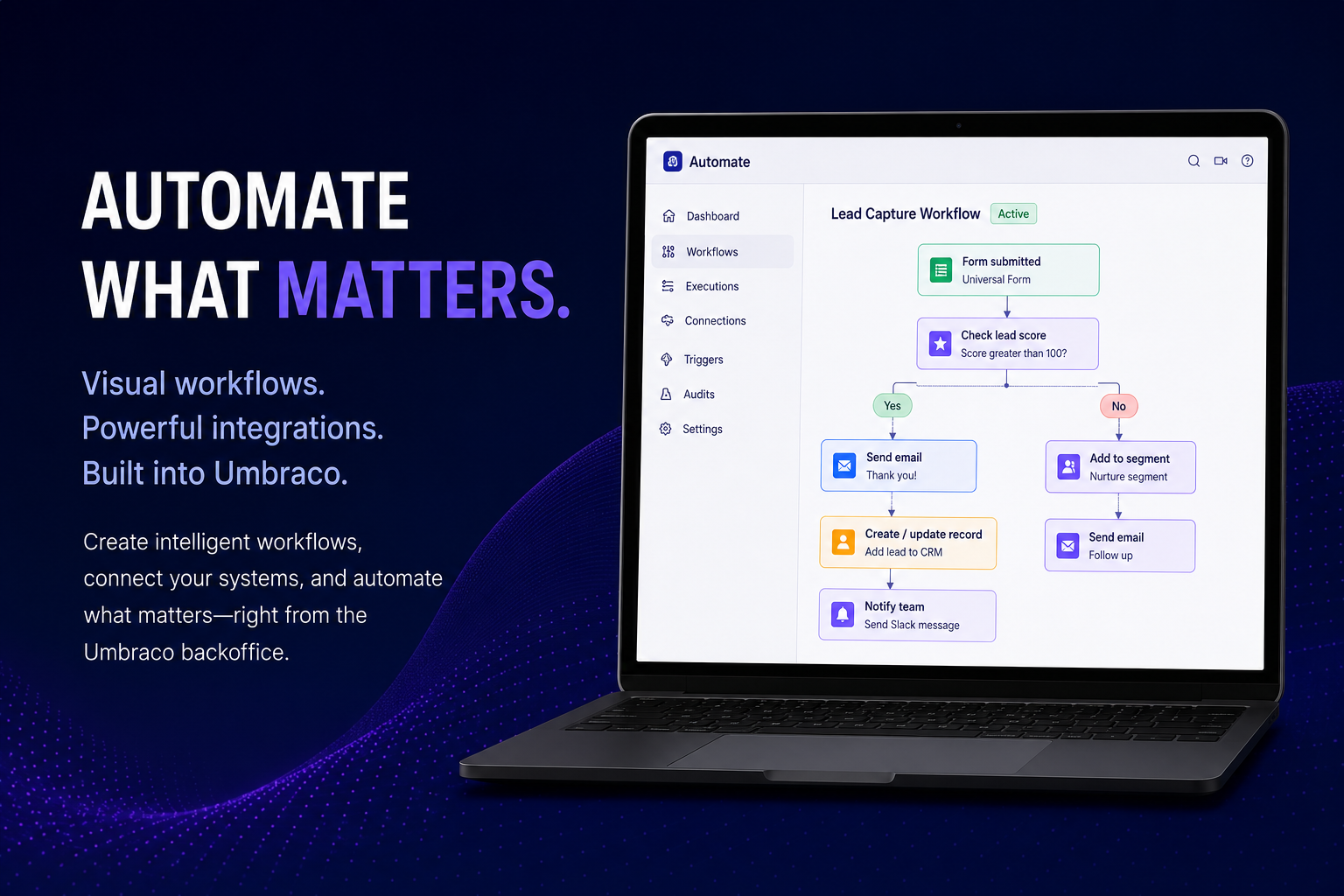
Why This Update Matters
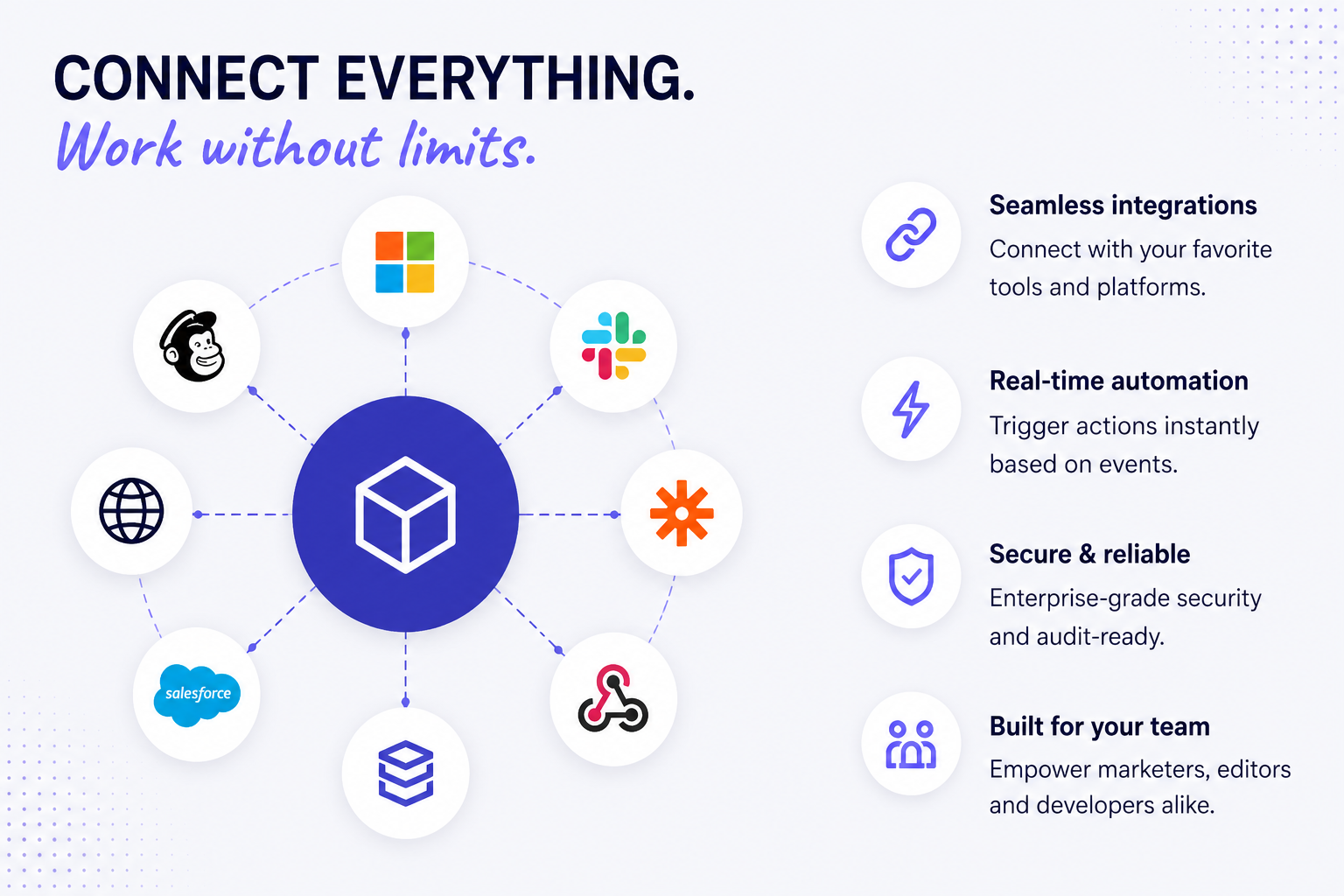
Workflow automation itself is not new. Platforms such as Zapier, Power Automate, Make, and n8n have been helping organisations connect systems and automate repetitive processes for years.
What makes Umbraco Automate particularly interesting is where it operates.
It lives inside Umbraco.
That distinction matters because many digital workflows begin with something happening in the CMS:
- An editor publishes an article.
- A visitor completes a form.
- A new member registers.
- A product or order is updated.
- A visitor enters a particular audience segment.
- Content needs to be reviewed, enriched, translated, or distributed.
- A customer journey reaches a defined milestone.
Traditionally, acting on these events might require custom development or an external automation platform. Data would need to leave Umbraco, travel through another system, be processed, and then potentially return.
Umbraco Automate brings the orchestration layer much closer to the source.
That means less unnecessary tool switching, better alignment with Umbraco permissions and content structures, and a more natural experience for the people who already spend their working day inside the CMS.
Marketing Teams Can Move Faster
One of the most promising aspects of Umbraco Automate is the freedom it can provide to marketing and digital teams.
Marketers frequently identify opportunities that sound straightforward but still require development support:
“Can we notify the account team when this form is submitted?”
“Can we send different follow-up messages based on the customer’s selection?”
“Can we automatically create a summary when new content is published?”
“Can we alert someone when a high-value visitor performs a specific action?”
“Can we connect this campaign to our CRM?”
Individually, these may be relatively small requests. Collectively, however, they create a queue of development tickets and dependencies.
A visual automation canvas changes that dynamic.
Instead of documenting every rule and waiting for a custom implementation, authorised users can visually compose parts of the journey themselves. They can see where an automation begins, what conditions are evaluated, which actions take place, and how information moves between steps.
This does not eliminate the need for developers, and it should not. It creates a more productive division of responsibility.
Developers can establish secure foundations, reusable connections, custom actions, governance controls, and architectural standards. Marketing teams can then manage appropriate business logic without needing code changes for every adjustment.
That is a powerful combination.
Developers Still Retain Control
Low-code tools can sometimes make development teams nervous, especially when they introduce unmanaged connections, duplicated logic, security concerns, or automations that nobody fully understands.
Umbraco Automate appears to have been designed with those concerns in mind.
Developers can extend the platform using custom C# triggers, actions, and connection types. External services can be reached through APIs, HTTP requests, and webhooks. Integration credentials can be managed through reusable connections rather than being embedded throughout individual workflows.
This gives technical teams the flexibility to create organisation-specific building blocks.
Imagine a custom action called Create Lead in CRM, Request Legal Approval, Generate Product Description, or Notify Account Owner. Once developed, these capabilities could be made available as controlled, reusable steps within the automation canvas.
Business users see a meaningful action.
Developers control the implementation behind it.
That balance between usability and extensibility is one of the reasons we are particularly excited about the platform.
AI Becomes Part of a Governed Workflow
AI is another area where Umbraco Automate could become extremely valuable.
Generative AI is already being used to create summaries, propose metadata, classify content, generate alt text, translate copy, and support editorial processes. The challenge is not simply generating an output. The challenge is incorporating AI into a dependable business process.
For example, an automation could:
Detect when a new image is uploaded.
Ask an AI service to propose accessible alt text.
Route the suggestion to an editor for approval.
Apply the approved description.
Record the outcome in the automation history.
Another workflow could create a short summary whenever a long-form article is published, request human approval, and then distribute the approved summary to another channel.
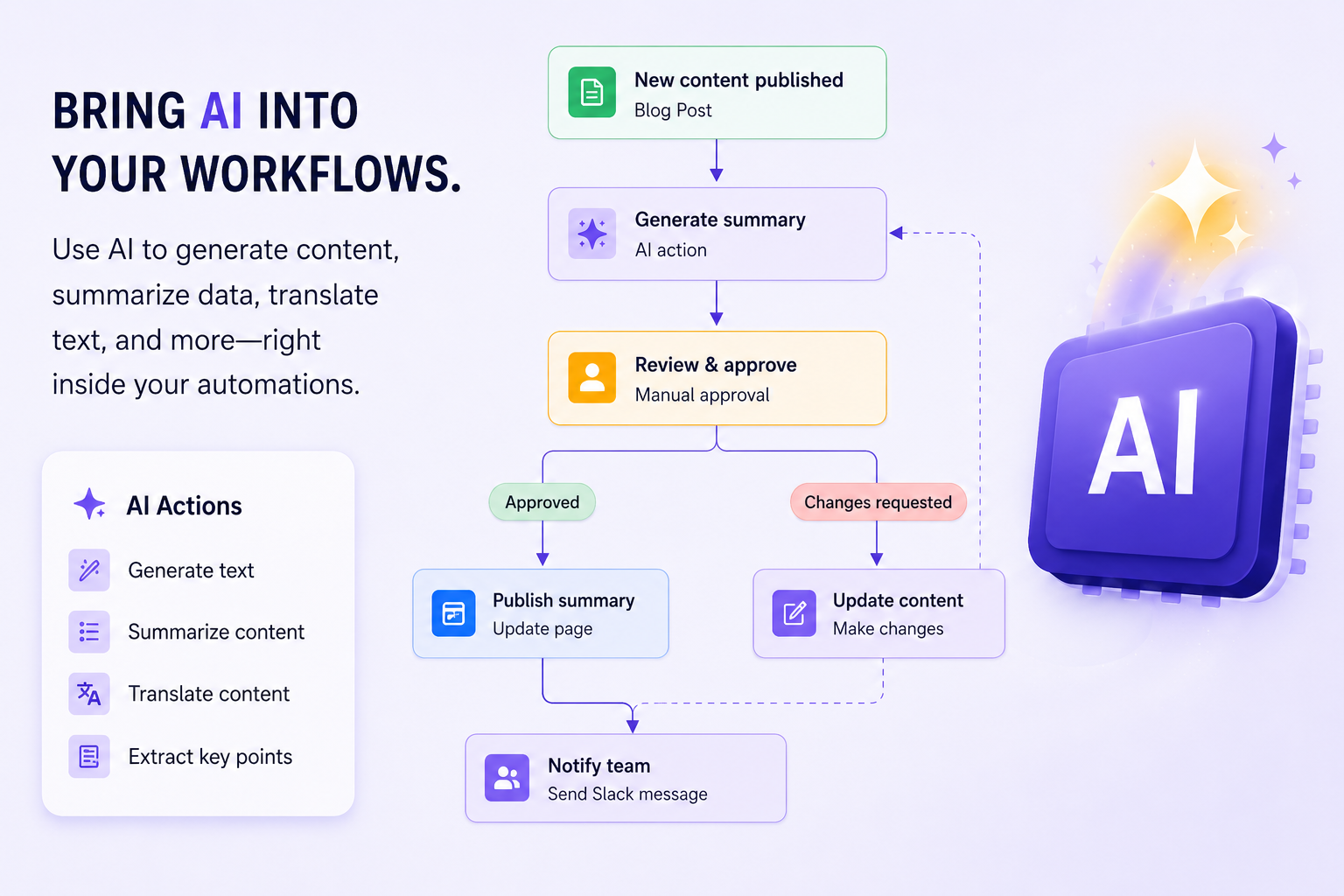
The important detail is the human approval step.
Not every AI-generated result should be accepted automatically. By placing AI inside a structured workflow, organisations can benefit from speed while retaining editorial control, accountability, and quality assurance.
This is a much more practical way to introduce AI into content operations than treating it as an isolated writing tool.